



Get a personalized assessment of your operational efficiency and accelerate growth for your business.
This comparison covers Xamarin as a legacy platform and React Native as an option for supported cross-platform development. Microsoft ended Xamarin support on May 1, 2024. For a new app, evaluate a supported platform such as .NET MAUI, React Native, Flutter, or native development. Existing Xamarin apps require a maintenance and migration assessment; the historical feature comparisons below are not a recommendation to start a new Xamarin project.
Xamarin gave teams strong performance and a native feel, and a great deal of C# mobile code was written on it. React Native takes a dynamic, community-driven approach and remains actively developed.
If you own a Xamarin app, the question is no longer which is better, but where that codebase should go next. This article covers both, plus .NET MAUI, with the detail CTOs and tech leads need to plan the move.
Use the comparison below to understand an existing Xamarin codebase and evaluate a supported destination.
What is Cross-Platform App Development?

Cross-platform mobile app development is the process of curating mobile apps that can run on diverse operating systems, such as iOS, Android, and Windows, with a single technology stack.
What does this mean?
It’s simple! As a developer, you won’t need to create multiple versions of your app. The process saves cost and reduces development time.
It’s no wonder that cross-app development is growing in demand. If appreneurs want to deliver a product quickly on a reasonable budget, the technology gives the best results.
Let’s get back to the critical question—Xamarin or React Native; which one should you choose? One needs to look at the holistic view with use cases, features, and benefits—and then select. Let’s start with learning more about Xamarin.
What is Xamarin?
It’s an app platform that’s an open-source, cross-platform mobile app development framework. The platform was founded in 2011, and it facilitates building robust and performant applications for Android, iOS, and Windows with a .NET framework.
Xamarin is an abstraction layer that helps manage communication of shared code with underlying platform code.
For years it was a leading cross-platform product for building mobile apps within the Microsoft ecosystem, built on the Microsoft technology stack with a community of over 1.4 million developers. Its capabilities now live on in .NET MAUI and .NET for Android and iOS.
What is Xamarin Used for?
Xamarin is typically used for sharing code and business logic across diverse platforms. Plus, developers can use it for writing cross-platform applications in C# with Visual Studio. Moreover, the platform allows developers to share up to 95 percent of code across platforms.
What does this mean? The facet indicates that one can achieve a native look and feel and the native performance on each platform without writing in multiple languages.
Developers use Xamarin apps on a PC or Mac to compile them into native packages, such as .ipa files and .apk files for iOS and Android devices, respectively. Moreover, Xamarin is native, and because it gives access to 100 percent of the native APIs, developers can also create Android wear apps, Apple Watch apps, and Apple TV apps.
Apps developed using Xamarin have access to a broad spectrum of functionality and support platform-specific capabilities, such as Fingerprint, ARKit, CoreML, NFC, and more.
What’s more? One can integrate third-party libraries, including Facebook, Google Play Services, and Google APIs for iOS.
When it comes to industries, Xamarin is used to write apps and serve a diverse set of industries, including healthcare, energy, media, transportation, and more.
What Your Existing Xamarin App Was Built On
These are the strengths Xamarin teams built on, and they explain why an existing codebase looks the way it does. They are not reasons to start a new Xamarin project: support ended on May 1, 2024 for all Xamarin SDKs, including Xamarin.Forms.
1. Native User Experience
Xamarin offers complete access to native APIs and toolkits used on iOS, Android, and Windows platforms. With Xamarin, developers can get a level of performance comparable to a native app.
So, when you choose to develop apps with Xamarin, you can utilize a range of native elements and technologies for highly optimized results, including 100 percent native API access, native UI, and process optimization.
2. Single Technology Stack
Developers are constantly on a quest for time-effective solutions and a platform that’s easy to learn.
The platform creates all kinds of solutions with a single language C#. Plus, one does not need to switch between environments, as developers can do everything in Visual Studio, making it time-effective and convenient.
3. Code Sharing (Write Once, Use Everywhere)
One of the main selling points of Xamarin is the possibility to build single-code solutions for iOS and Android.
Xamarin is a viable option, offering around 60% to 95% reusable code with UI and controls, native performance, all written in C# within the .NET framework.
4. Minimal Time to Market
In a highly competitive market blended with massive customer expectations, time to market for a commercial app is essential.
Xamarin teams could run tests across thousands of devices using code sharing together with Test Cloud, which later folded into Visual Studio App Center and retired on March 31, 2025.
It is an excellent opportunity, especially when one has limited hardware and human resources.
5. Simplified Maintenance
When one is working on more than one platform, it’s logical that maintaining an app can get complicated. For every little functionality change, the change needs to be transcended to all other platforms. It also means that one needs to keep up with each platform’s versions and updates.
Let’s look at an example, Xamarin.iOS includes support for mobile iOS, tvOS, watchOS, and macOS. Moreover, it also allowed development for Beta iOS 13 much before the official stable release.
6. Microsoft Support — Now Ended
Microsoft's backing was once the strongest argument for Xamarin. That argument is gone. Support ended on May 1, 2024, so Xamarin SDKs receive no further updates, including for new iOS and Android releases. Microsoft's guidance is to move Xamarin.Forms projects to .NET MAUI, and Xamarin.Android, iOS and Mac projects to .NET.
7. Testing — Tooling Retired
Xamarin teams ran automated tests on real devices through Xamarin Test Cloud, which later became part of Visual Studio App Center. App Center was retired on March 31, 2025, so that tooling is gone and device testing has to be re-platformed.
8. Crash and Usage Reporting — Moving to Azure Monitor
Crash reporting and usage analytics ran through Visual Studio App Center. Its Analytics and Diagnostics features remain supported only until March 31, 2027, and Microsoft directs teams to Azure Monitor. If your Xamarin app still reports through App Center, that is a dependency with a fixed end date.
9. Quick GUI Prototyping and Next-Level Code-Sharing with Xamarin.Forms
Xamarin.Forms gave teams a single cross-platform GUI library for Android and iOS, plus macOS, watchOS and tvOS. It has evolved into .NET MAUI, which is where existing Xamarin.Forms projects are meant to land.
10. RMAD and .NET Embedding
Rapid Mobile App Development (RMAD) is a relatively new concept that blends tools and products, focusing on reducing the time to develop an app. Plus, it focuses on enabling non-tech or less code-savvy users to participate in development.
Taken together, these strengths explain why so much C# mobile code exists today. They also explain why the migration target matters: the closer the destination is to what your team already knows, the less of that investment you give up.
Successful Mobile Apps that Use Xamarin
Xamarin shipped production apps across healthcare, retail, media and more. These examples show the kind of codebase now facing a migration decision.
1. UPS Mobile App
Industry: Travel and transportation
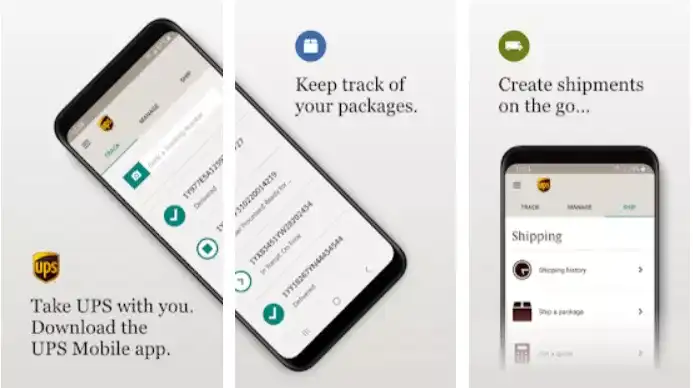
UPS Mobile app is one of the best apps made using Xamarin, having over five million installs. The mobile app helps track deliveries from its shipment to reaching the hands of its customers. It is active both on Android and iOS platforms.
UPS also has an in-app measurement tool where one can take package dimensions on the go. Michele Ivy, Director of Customer Technology, Internet Systems at UPS, reiterates that the ability to develop a vast amount of Xamarin code, most of it only once, that serves multiple platforms is an incredible efficiency benefit.
2. Caren, Cincinnati Children’s
Industry: Health Provider
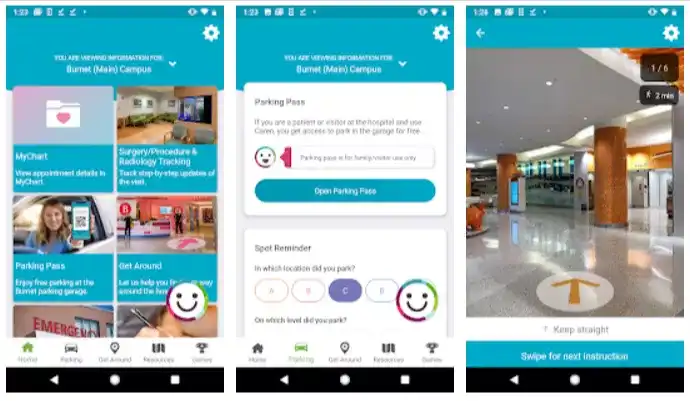
Caren, Cincinnati Children’s could deliver an agile, feature-rich cloud platform-based app, thanks to Microsoft Visual Studio Tools for Xamarin.
The team did not have expertise in building native iOS and Android apps, and they wanted Caren to be cross-platform.
With Visual Studio Tools for Xamarin, they could write the code once and deploy it on multiple mobile platforms instead of maintaining separate code bases. The app has practical utility and has been able to reduce stress.
3. BBC Good Food
Industry: Media and Entertainment
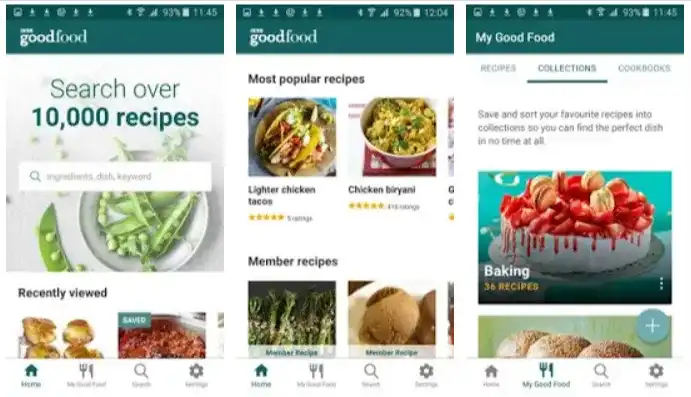
BBC Good Food, a BBC Worldwide brand, redesigned iOS, Android, and UWP apps using Microsoft Visual Studio Tools for Xamarin and Visual Studio for Mac to transform their mobile experience.
They also used Visual Studio App Center to simplify and automate app delivery for their clients, which enabled them to access recipes personalized for them anytime, anywhere.
4. JustGiving

Industry: Nonprofit
JustGiving, the world’s largest social giving organization, helps raise charitable donations from over 18 million users.
Its Android and iOS apps ensure that users across 164 countries can create funding pages, share their causes, request donations, and more, all in the app.
In fact, the Xamarin-based Android app quickly received the most five-star ratings in the company’s history.
5. FreshDirect

Industry: Consumer Goods
FreshDirect is a pioneer in the short supply chain concept in the customer-facing food delivery business. The company constantly looks at ways to improve the quality of its app to keep customers coming back again.
Jon Malat, ex-VP of Consumer Marketing Technology and App Development, reiterated that using Xamarin technology, they could make changes in one place and propagate them to all the applications, which provided speed to market, change, and evolution.
What is React Native?
Now, let’s focus on understanding React Native.
React Native (aka RN) is an open-source, cross-platform mobile app development framework created by Facebook in 2015. The platform enables developers to use JavaScript and React along with native platform capabilities to curate mobile apps.
What’s more? It combines the best parts of native development with React, a best-in-class JavaScript library for building stunning user interfaces (UIs).
The React Native community is growing and is supported by contributions from individuals and companies worldwide, including Expo, Callstack, Infinite Red, Software Mansion, and Microsoft.
What is React Native Used for?
React Native is used for writing mobile apps with the performance and look and feel of a native application. The RN team has powerful developer tools, so working with robust tools is a natural part of the development experience. For those looking for a positive impact on the product release cycle, RN is the go-to platform.
The React Native community has made significant progress, and it does have the upper hand because it is based on a wildly popular programming language, JavaScript. Plus, it offers iOS developers or Android developers the freedom to decide the components they may choose to use for their projects.
Furthermore, from Walmart to Salesforce, the RN framework is favored by various start-ups and organizations from diverse industry sectors worldwide.
When to Use React Native for App Development?
While native rendering is a huge benefit, there are additional perks to using React Native.
1. Custom Design
For those who wish to opt for a custom design for their mobile apps, React Native is a great option.
For example, your organization or its products have an already established design. Thus, you may want a design that reflects your brand. RN uses native UI, unlike other cross-compiling frameworks.
So, developers can use it for custom designs shared between iOS and Android.
2. Shareability between Mobile and Web Apps
React Native, as the name suggests that it is based on React. Plus, React is a web framework, so one can share code between mobile and web apps if they are built on React.
It is easy to reuse some components and business logic to take care of the mobile and web facets.
3. Maximum Code Reuse and Cost Saving
When one wants to use the same code for deployment on iOS and Android, RN can be a great option. It means a massive saving in development time and cost. Plus, the development effort is also reduced.
It is also observed that around 90% of the code can be reused between Android and iOS. However, it would be prudent to calculate some extra time for reasonable modifications.
4. Fast Refresh
It is easy to speed up development times by having the app reload automatically any time the code changes.
Fast Refresh, which replaced the older Hot Reloading, displays the updated UI whenever a developer saves a change in the RN code. The perk is that you won’t lose any of your states, especially beneficial when tweaking the UI.
5. Strong Performance for Mobile Environments
The RN architecture is well-tuned to mobile devices. The platform makes use of the GPU (Graphics Processing Unit) in comparison to native platforms that are more ‘CPU (Central Processing Unit) intensive.’ Compared to hybrid technologies, React Native is super fast.
6. Community-driven and Rich Ecosystem
React Native is community-driven. Plus, just as other open-source frameworks have gained popularity, RN has many developers seeking knowledge or offering advice when needed.
Moreover, developers can find plenty of resources. They can subscribe to RN newsletters or go to Github React Native Community or Reactiflux (a large chat service where developers can get quick solutions).
7. The JavaScript Advantage
People from varied development backgrounds are excited to learn React Native. One may have experience with various technologies, from the web to Android to iOS and more.
However, to work with React Native, those with a basic understanding of JavaScript fundamentals find it easy to dive in. With extensive resources and a supportive community, it makes development easy!
8. Integration with Native Application
React Native has apt mechanisms that help to integrate with an existing native application. Thus, one can find both views that are written natively, along with views written with RN in a mobile application.
If developers want to transfer the application to a cross-platform solution, the existing application can be rewritten in small steps. The approach reduces errors and allows a faster release of the new application.
9. External Tools Support
RN enjoys support from tools that augment the process of developing mobile applications. One can find platforms such as Bitrise, CircleCI, Code Magic, Sentry, and more comprehensively supporting your development initiatives.
10. Developer Productivity
RN is a dynamic toolset with a lot of productivity features, such as integrated components. The facets offer shortcuts to common tasks.
Plus, Fast Refresh means developers don’t need to recompile the entire app every time they make a change.
All such unnecessary interruptions help developers to stay engaged and add to their productive experience.
Successful Mobile Apps that Use React Native
Today, thousands of apps are developed using React Native. Let’s look at some splendid apps.
1. Bloomberg
Industry: Finance, Technology, Mass Media
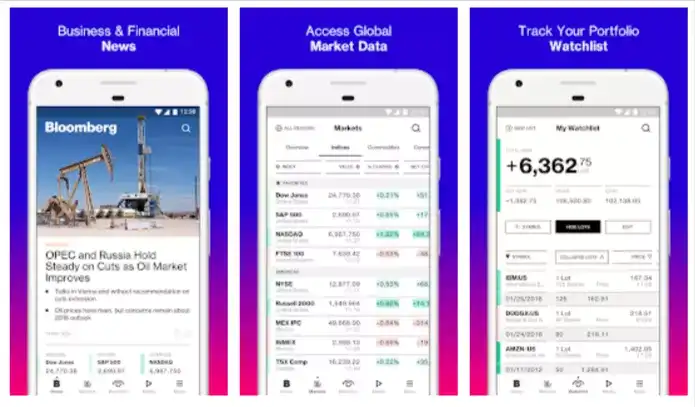
Bloomberg is a financial company that offers tools for equity trading and analytics. The company’s consumer mobile app for iOS and Android extends an interactive experience to its users with personalized content, videos, and live feeds featured across Bloomberg Media.
The app was developed using React Native and was able to implement automated code refreshes.
2. Uber Eats
Industry: Food Delivery
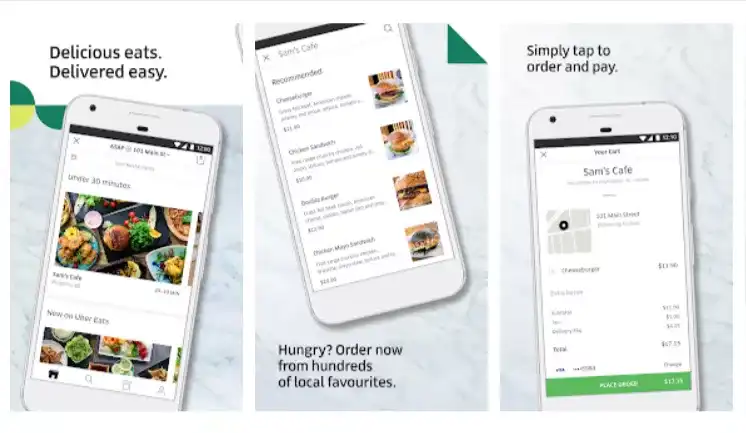
Uber Eats, a delivery service, used RN to optimize its Restaurant Dashboard app for mobile.
The platform seamlessly supported the development of a sophisticated UI complemented by a smooth UX. Sound and push notifications were also significant additions to the app’s dashboard.
3. Discord
Industry: Communication
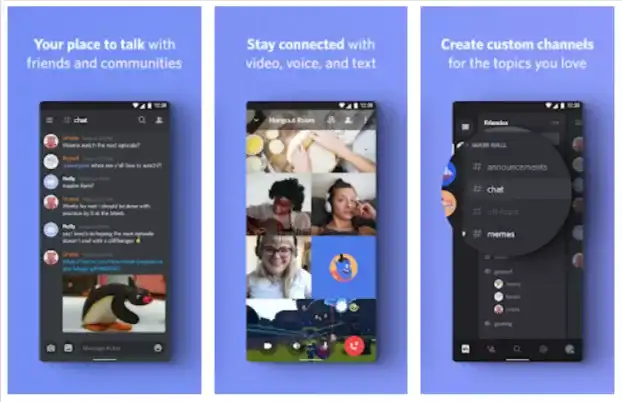
Discord is an excellent use case of Voice of Internet Protocol (VoIP). It adopted React Native to build its iOS and Android apps.
The iOS app currently has millions of monthly active users. Plus, it is 99.9% crash-free and holds a 4.8-star rating on the app store.
With the Discord app, friends and communities can use voice, text, or video to communicate over the internet.
Moreover, it’s free and used mainly by gamers. With React Native, the iOS and Android Discord app share 98% of the code.
4. Walmart
Industry: Retail
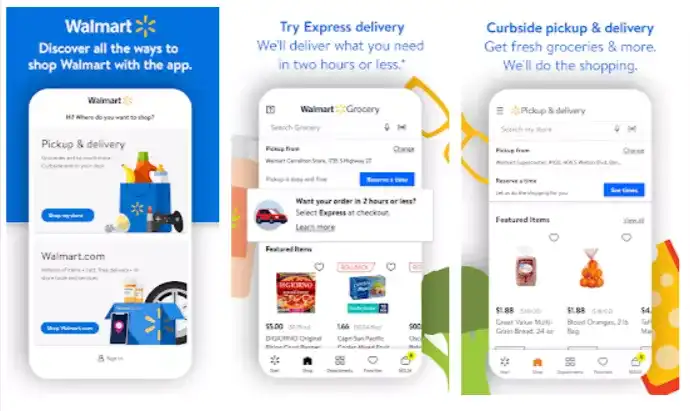
Walmart, the world’s leading superstore that offers a mind-blowing shopping experience to customers, developed the Walmart app using React Native. It helped them share nearly 95% of their codebase between Android and iOS.
Plus, they had only one team of JavaScript developers to complete the job and have everyone on the same page. When it came to added perks, the time-to-market was very fast, and they could release both platforms on the same day and time.
5. Instagram
Industry: Advertising/Marketing, Arts and Entertainment, Education
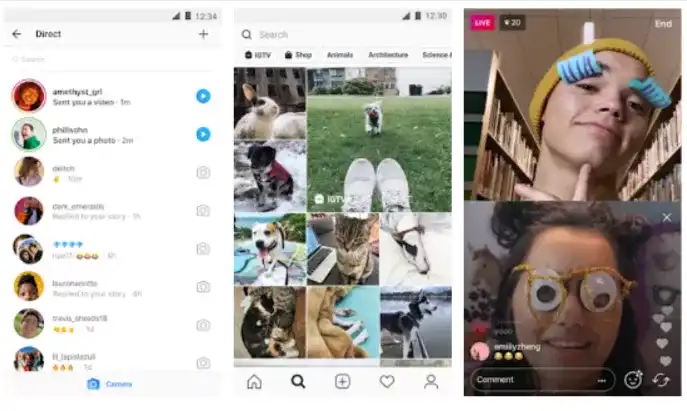
Instagram, a popular social networking site, thought of switching to React Native in 2016. They could successfully integrate RN with existing technology.
Today, they can push features faster and maintain both iOS and Android app versions with ease.
Choosing Your Migration Path: .NET MAUI or React Native
With Xamarin support ended, the real question is no longer which framework to start with. It is where an existing Xamarin codebase should go. The two paths most Xamarin teams weigh are .NET MAUI, the direct successor, and React Native.
Table 1. Migration Paths for an Existing Xamarin App
| Consideration | .NET MAUI | React Native |
|---|---|---|
| Relationship to Xamarin | The direct successor. Xamarin.Forms evolved into .NET MAUI, and Microsoft documents the upgrade path for both Forms and Xamarin.Android/iOS/Mac projects. | A separate framework. Migration is a rewrite of the app layer, not an upgrade. |
| Language and team skills | C# and XAML, so existing .NET skills and much business logic carry over. | JavaScript or TypeScript with React. Your C# team either retrains or you hire for it. |
| Reuse of existing code | Highest for Xamarin.Forms apps. Shared .NET libraries, models and services usually move with limited change. | Non-UI .NET code does not transfer. Backend APIs and assets do. |
| Framework maturity today | Actively developed as part of .NET, with the standard .NET release and support cadence. | The New Architecture has been the default since version 0.76 (October 2024), replacing the old bridge-based design. |
| Web and cross-team reuse | Mobile and desktop from one codebase. Web needs Blazor, a separate model. | Shares language, tooling and often components with React web teams. |
| Tooling to replace either way | Both paths must replace Visual Studio App Center. It retired on March 31, 2025, with Analytics and Diagnostics supported only until March 31, 2027. | |
As a rule of thumb: if your team is strongest in C# and the app is a Xamarin.Forms codebase you want to keep, .NET MAUI preserves the most work. If you already run React on the web, or want one language across web and mobile, React Native is the more natural destination. Either way, treat it as a planned migration with a tooling replacement, not a version bump.
Develop A Powerful Cross-Platform Mobile App with Imaginovation
Selecting the right framework can get you a winning edge for your digital journeys. If you’re not sure which framework can help your business, feel free to get in touch with us. We can help you choose the right platform.
We are an award-winning web and mobile app development company in Raleigh with incredible experience, and we can help you build cutting-edge cross-platform mobile apps.