



Get a personalized assessment of your operational efficiency and accelerate growth for your business.
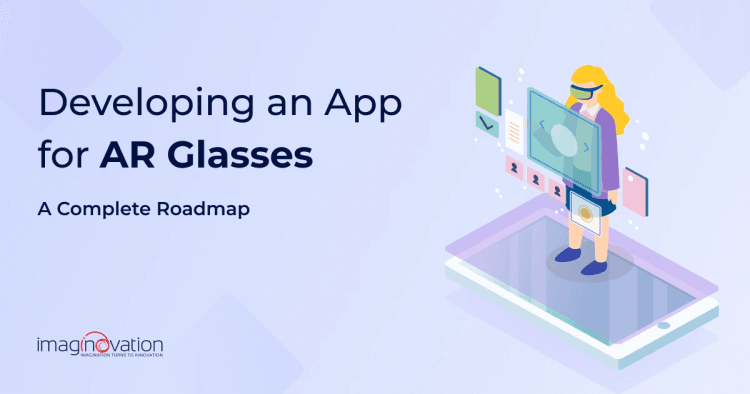
A few years ago, building an app for AR glasses felt premature. Interesting, sure, but easy to ignore. That’s no longer the case.
Today, teams are actively deploying apps on devices like Meta’s Ray-Ban smart glasses, HoloLens, and Magic Leap as working products used on factory floors, in training rooms, and out in the field. The conversation has shifted from “Is this viable?” to “How do we build this the right way?”
You see, the pattern is similar to every new platform shift. The technology always matures faster than most teams expect, while internal readiness lags behind.
AR glasses are at that exact moment right now. Capable enough to deliver value, early enough to create real differentiation. So, if you’re seriously considering AR glasses as a product surface, this is where the thinking needs to start.
Understanding the AR Glasses App Development Landscape
AR glasses app development isn’t just “mobile AR, but closer to your face.” It changes how people interact with software at a fundamental level.
Compared to app-based AR, AR glasses introduce a very different set of constraints and opportunities:
- Hands-free and persistent: Experiences live in the user’s line of sight instead of inside an app they consciously open and close.
- Context-driven by default: Cameras, spatial sensors, and location data continuously inform what appears on screen, in real time.
- Interaction-limited by design: Touch disappears. Gaze, gestures, and voice take their place. That forces teams to rethink UX from the ground up.
Those constraints are a filter.
I remember the early days of mobile development. Libraries were thinner. SDKs were less forgiving. Rough edges showed up quickly. But teams that moved early gained something more valuable than polish: experience.
You learn faster than competitors who wait for the ecosystem to mature.
And this space has already moved beyond experimentation. Companies are shipping real AR glasses apps into production.
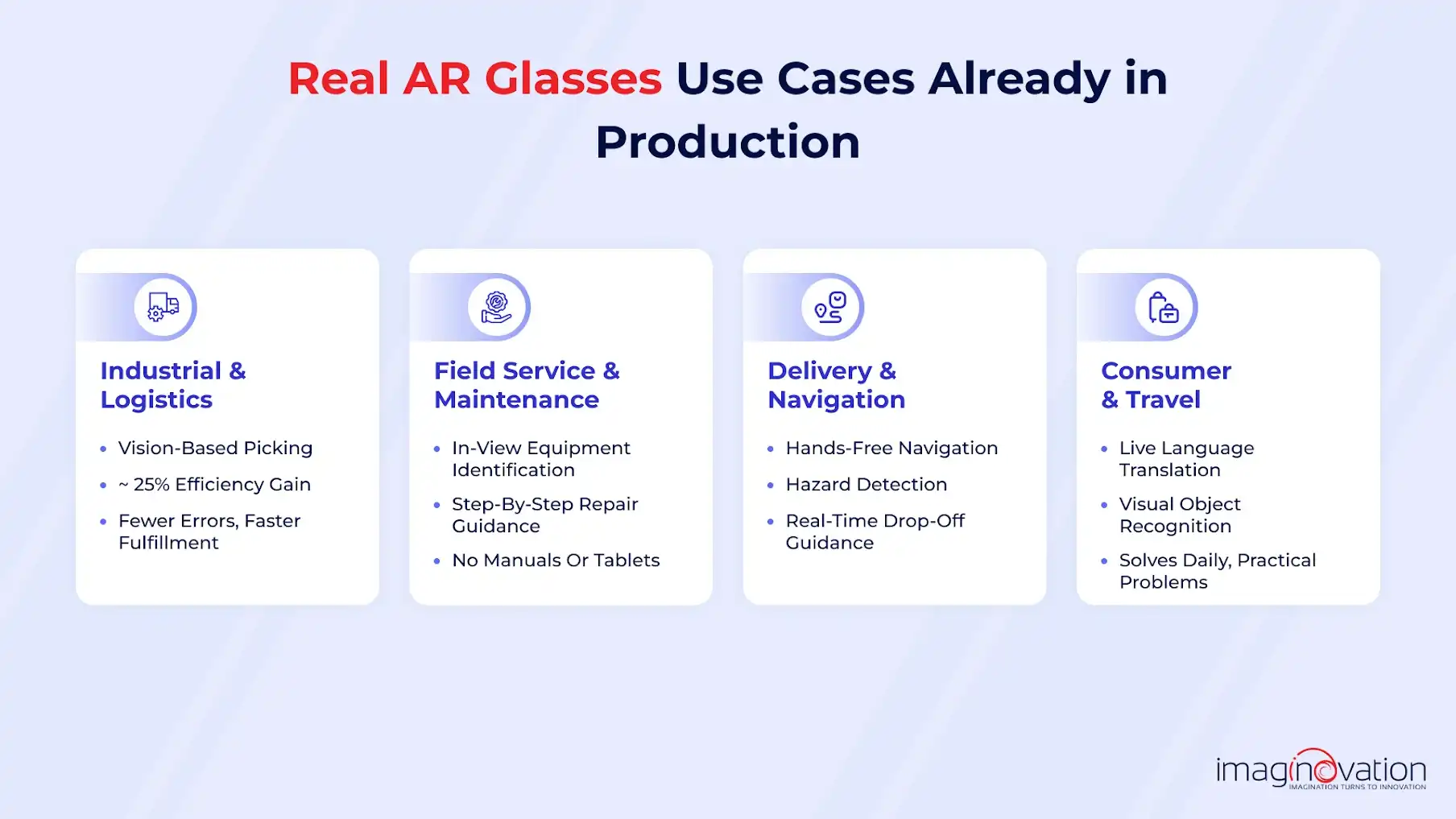
1. Industrial and logistics
- DHL tested smart glasses for vision-based picking and reported about a 25% increase in picking efficiency using devices like Google Glass and Vuzix.
- Visual cues replaced handheld scanners, reducing errors and speeding up fulfillment.
- Similar approaches are now used for assembly guidance and quality control.
2. Field service and maintenance
- Technicians use glasses to identify equipment and follow step-by-step repair instructions in their field of view.
- Manuals and tablets disappear from the workflow.
- Higher accuracy and shorter training time for new hires.
Also Read: AR in Field Service: A Complete Guide for 2025
3. Delivery and navigation
Amazon has piloted smart glasses for delivery drivers to:
-
- Identify hazards
- Navigate to the correct drop-off location
- Receive real-time guidance without using their hands
Under the hood, most AR glasses apps rely on a mix of established and emerging platforms:
- ARCore: Powers spatial tracking and environmental understanding, and now feeds into broader XR experiences.
- Android XR: Google’s unified platform aimed at building across headsets and glasses using familiar Android tooling.
- Vuforia + OpenXR: Enables development for devices like HoloLens and Magic Leap through engines such as Unity, using a more standardized API layer.
For teams planning an AR glasses app, you can reuse existing AR and 3D development knowledge. You cannot ignore fragmentation, hardware differences, and SDK maturity gaps.
AR glasses should be treated as their own product category, not a thin extension of your mobile app. The opportunity is real, but so are the constraints. The teams that acknowledge both are the ones that ship experiences that hold up beyond the demo.
Planning Your AR Glasses App: Setting the Right Foundation
Strong AR glasses apps start with discipline. Before a single line of code is written, teams need clarity on why the app exists, where it fits into real workflows, and whether today’s hardware can actually support the experience you’re imagining.
1. Identify the Right Use Case
AR glasses work best when users are already doing something physical and need information without stopping their flow. That’s the litmus test.
Good use cases usually share a few traits:
- Hands-occupied workflows: Users are actively working and can’t stop to pick up a phone or tablet, making heads-up guidance essential.
- Context-dependent decisions: Location, visual input, and real-world conditions directly affect what information the user needs next.
- Performance-critical moments: In-the-moment guidance improves speed, accuracy, or safety where delays or mistakes are costly.
Examples that consistently make sense include field service, warehousing, inspections, training, and navigation.
On the other hand, workflows that depend on long-form input, heavy typing, or complex UI often struggle with glasses and belong elsewhere.
If AR glasses don’t remove friction from the workflow, they’ll feel gimmicky. That’s the line teams need to draw early.
2. Validate Technical Feasibility Early
This is where many projects stumble. AR glasses introduce hard constraints that don’t show up in mobile apps.
Before committing, teams should validate:
- Sensor availability and accuracy: Camera, depth, IMU, and GPS reliability directly determine how well the app understands and reacts to the real world.
- API access and maturity: Computer vision and spatial mapping capabilities vary widely by platform, affecting what you can realistically ship today.
- Battery endurance: Continuous camera usage, rendering, and on-device processing can drain power quickly and must be planned for from day one.
- Performance ceilings: Rendering quality, tracking stability, and network latency set hard limits on how complex and responsive the experience can be.
A concept that works in a short demo can fail in a full shift or all-day usage scenario. Prototyping against real constraints early saves months later.
3. Choose the Right Platform and Hardware
There is no “best” AR glasses device. There is only the best fit for your use case, users, and deployment model. Each platform has strengths and trade-offs in comfort, developer tooling, and ecosystem maturity.
Here’s a practical comparison to help frame the decision:
| Device / Platform | Developer Support | Use Cases |
|---|---|---|
| Ray-Ban Meta (Gen 2) | Growing SDKs, strong AI features | Consumer, travel, translation, lightweight experiences |
| Magic Leap 2 | Mature enterprise tools, spatial computing | Industrial training, healthcare, complex workflows |
| Microsoft HoloLens 2 | Enterprise-focused, MRTK support | Manufacturing, remote assistance, field service |
| Android XR (emerging) | Unified Android approach | Cross-device XR apps, long-term scalability |
The right choice depends less on brand and more on:
- Your users’ environment
- Session length and comfort needs
- How much UI versus passive guidance does the app require
The foundation phase is about making smart bets with eyes wide open.
Teams that do this work up front move faster, build fewer throwaway features, and end up with AR glasses apps that actually make it into daily use rather than staying stuck in prototype mode.
AR Glasses App Prototyping: Turning Ideas into a Working Model
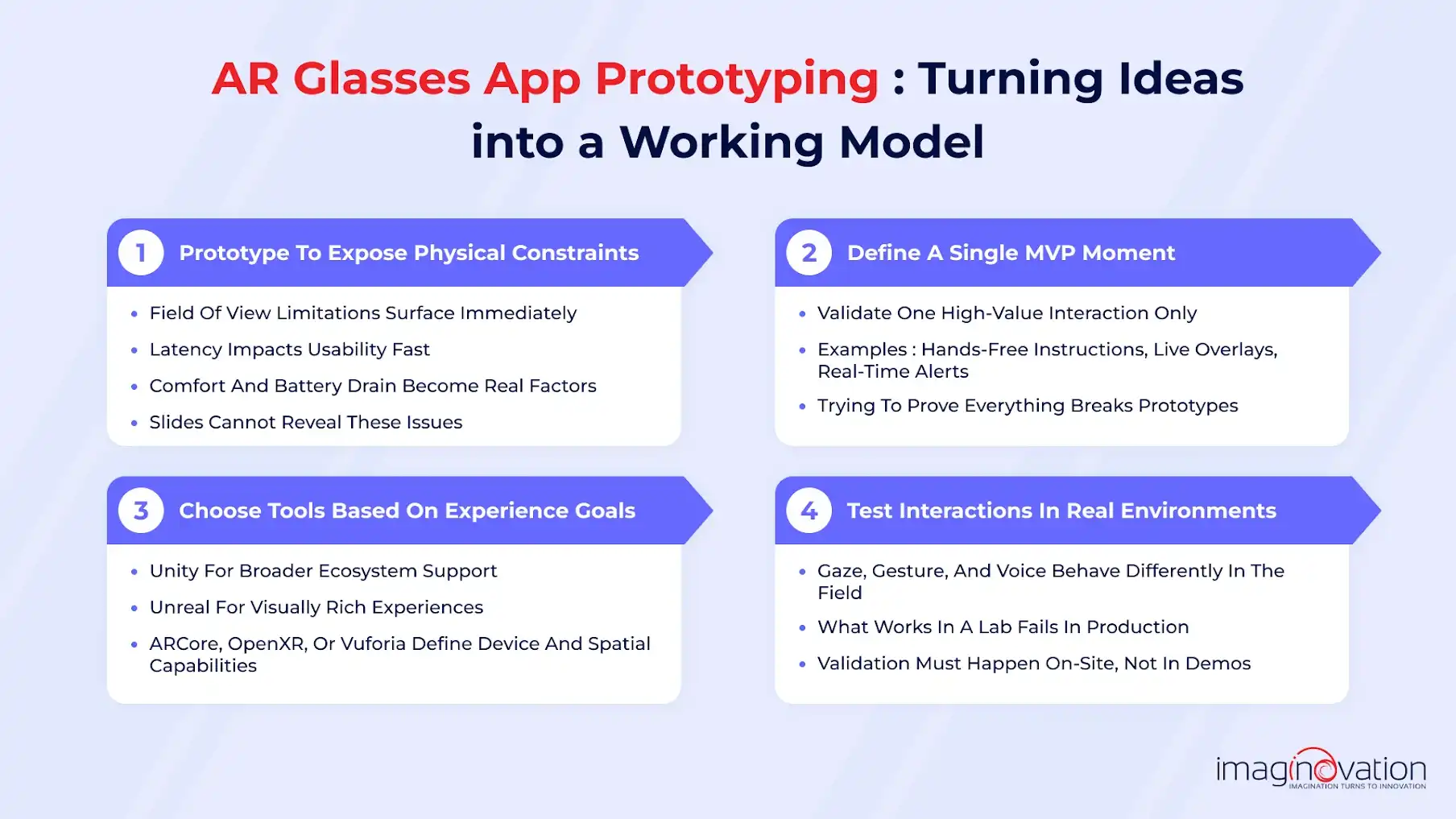
Prototypes are the fastest way to separate a compelling idea from something that only looks good on slides.
AR glasses introduce physical constraints immediately, like field of view, latency, comfort, and battery drain. A prototype exposes those realities early, before you commit to a full-scale buildout.
A strong prototype answers one question: Does this experience actually work on someone’s face?
Here’s how teams that ship successfully approach it.
- MVP experience definition: Focus on a single high-value moment you want to validate, such as hands-free instructions, live overlays, or real-time alerts. Prototypes fail when they try to prove everything at once.
- SDK and engine selection: Unity remains the most common choice due to ecosystem support, while Unreal is better suited for visually rich experiences. ARCore, OpenXR, or Vuforia then dictate device compatibility and spatial capabilities.
- Interaction testing: Gestures, gaze, and voice each behave very differently in real environments. Prototyping helps determine what feels natural versus what users fight against.
- In-context validation: Testing must happen where the app will actually be used, such as in warehouses, job sites, and retail floors.
Common pitfalls show up fast in AR prototypes, and they’re avoidable.
Teams often overload early builds with features, creating performance issues that mask the core experience.
Others ignore physical fatigue, only to discover later that extended use becomes uncomfortable or distracting. Another frequent mistake is assuming mobile AR interaction patterns will transfer cleanly to glasses. They rarely do.
The goal of prototyping is proof. When done right, a prototype gives you confidence that the experience delivers value before you invest in scaling, and that’s especially critical in a category where hardware, software, and UX are still converging.
From Prototype to Scalable AR Glasses Product
A working prototype proves feasibility.
A scalable AR glasses product proves longevity. That transition is where most teams stumble, because the constraints shift from “can this work?” to “can this work reliably, every day, for many users, on multiple devices?”
This phase is about discipline.
1. Proof-of-Concept to Production
Prototypes are forgiving. Production is not. Moving forward means hardening everything you glossed over early on.
The experience has to remain stable across long sessions, poor lighting, network delays, and users who don’t behave the way you expected.
At this stage, teams lock down core workflows and resist feature expansion. Scalability comes from consistency, not novelty.
a) Performance Becomes the Product
In AR glasses, performance is user experience.
- Frame rate: Anything less than smooth rendering leads to discomfort and fatigue.
- Power usage: Continuous camera access and spatial tracking drain batteries fast. Optimization isn’t optional.
- Tracking stability: Drift, lag, or jitter breaks immersion and trust immediately.
Production teams routinely simplify visuals, reduce draw calls, and prioritize what truly needs to be rendered in real time.
The best AR experiences feel effortless because they’re technically restrained.
b) Multi-Device Compatibility and SDK Reality
Unlike mobile, there is no single “standard” AR glasses environment. Devices vary in sensors, compute power, interaction models, and SDK maturity. What runs flawlessly on one headset may degrade on another.
Scaling requires:
- Abstracting device-specific logic behind shared interfaces
- Avoiding tight coupling to experimental SDK features
- Designing UX that degrades gracefully across hardware tiers
This is where early architectural decisions pay off or punish you later.
c) Backend and Data Architecture for Scale
AR glasses apps rarely live entirely on-device. To scale, they rely on backend services that handle:
- User state and session persistence
- Content delivery and updates
- Analytics, logging, and telemetry
- AI inference or cloud rendering, where required
A clean separation between device layer, cloud services, and AR-specific logic allows teams to evolve the experience without rewriting the entire stack.
It also makes it easier to introduce new devices or capabilities as the ecosystem matures.
At this point, AR glasses stop being an experiment and start acting like a product platform.
Teams that plan for performance, fragmentation, and backend scale early stay relevant as hardware and SDKs evolve.
2. Testing, Deployment, and Maintenance in AR Glasses App Development
This is the part most teams underestimate. The demo looks great. The prototype gets nods in the meeting. And then the glasses leave your office and meet the real world.
That’s where things change.
AR glasses live in warehouses, on shop floors, outdoors, and in constant motion. If you don’t plan for that reality, even the smartest experience will fall apart fast.
a) Test Where the App Will Actually Be Used
Lab testing is a start. It’s not the finish line. AR glasses have to work when the lighting is bad, when people are moving, and when the environment is cluttered or unpredictable.
- Lighting: Sunlight, shadows, glare, and low-light conditions all affect tracking and visibility in ways you won’t see indoors.
- Movement: Walking, quick head turns, vibration, and long sessions expose performance issues that never show up on a desk.
- Occlusion: Real environments are messy. People walk through frames. Objects overlap. Sensors lose their point of reference.
b) Treat Privacy and Security Like Product Features
AR glasses collect a lot of sensitive data by default, from camera feeds, location signals, and spatial maps. It adds up quickly. If users don’t trust how that data is handled, they won’t wear the device. It’s that simple.
Strong AR apps make deliberate choices about:
- Where processing happens: What stays on the device and what goes to the cloud.
- How data is stored: Encryption, access controls, and retention limits.
- What users are told: Clear explanations about what’s captured and why.
c) Deployment Is Not a One-Click Publish
AR glasses don’t behave like mobile apps. Distribution, updates, and version control all require more coordination.
- Enterprise apps often deploy privately through device management systems.
- SDK updates and firmware changes can break features overnight.
- Rollbacks matter when something goes wrong in the field.
Teams that succeed build deployment playbooks early. The goal is predictability, not speed.
d) Maintenance Is Where AR Apps Get Better
Launch isn’t the payoff. Learning is. Once real users start wearing the glasses, patterns emerge quickly.
You’ll see where people hesitate, where they remove the device, and where guidance feels overwhelming instead of helpful. Analytics show part of the story. Direct feedback fills the gaps.
Over time, strong teams:
- Simplify visuals
- Reduce cognitive load
- Improve battery efficiency
- Refine guidance to be just enough, not too much
That’s when AR stops feeling experimental and starts earning daily trust.
3. Cost, Timeline, and Team Considerations for AR Glasses App Development
AR glasses apps don’t fail because teams underestimate the tech. They fail because teams underestimate the effort.
Cost, timelines, and staffing look familiar on paper, but AR introduces new variables that change all three.
- Use case clarity: The app should solve a problem that benefits from hands-free, in-the-moment interaction.
- Hardware choice: Costs and capabilities vary widely between devices like Meta, HoloLens, and Magic Leap.
- SDK maturity: Less mature platforms require more custom development and testing time.
- Interaction model: Gaze, gesture, and voice demand different UX thinking than touch-based apps.
- Performance limits: Frame rate, tracking accuracy, and battery life directly affect usability.
- Backend requirements: Real-time sync, analytics, and integrations add complexity early.
- Testing conditions: Real-world lighting, movement, and environment variance must be planned for.
- Team composition: AR requires product, 3D, UX, and QA expertise working closely together.
- Delivery timeline: Prototypes move fast; production and scaling take deliberate iteration.
- Scalability path: Decide upfront whether this stays device-specific or expands across platforms.
AR glasses app development is an investment. Teams that plan with realistic scope, focused teams, and staged milestones ship faster and scale with confidence instead of surprises.
Ready to Build an AR Glasses App That Actually Works?
AR glasses have crossed the line from interesting to operational. But building for them still demands careful planning, realistic constraints, and disciplined execution.
If you are considering an AR glasses app, the biggest risk is not the technology. It is building the wrong thing, on the wrong device, for the wrong workflow.
Imaginovation helps teams validate ideas early and turn them into scalable AR glasses products that actually get used.
Let’s talk about your use case and map the right path forward before assumptions become expensive.