



Get a personalized assessment of your operational efficiency and accelerate growth for your business.
“Should we develop a WebAR app or a native AR app?” This question comes up almost immediately when businesses start exploring ways to utilize AR.
You see, both options have their perks.
WebAR is good when you want your users to experience your AR application directly in their browser. There’s no app to download and no extra steps.
A native AR app, on the other hand, can be the better choice if you want to offer more advanced AR experiences that require complex interactions or higher performance.
The tricky part is figuring out which one actually fits your business needs. Choosing the wrong direction can lead to extra costs or an experience that users don’t fully connect with.
In this article, we’ll break down the differences in a simple way and talk about when each option makes sense. By the end, you should have a clearer idea of which path aligns with your business goals.
Let's start.
WebAR vs App-Based AR: What’s the Difference?
To make an informed decision about selecting WebAR vs App-Based AR, it's best to start by understanding the basics.
What is WebAR?
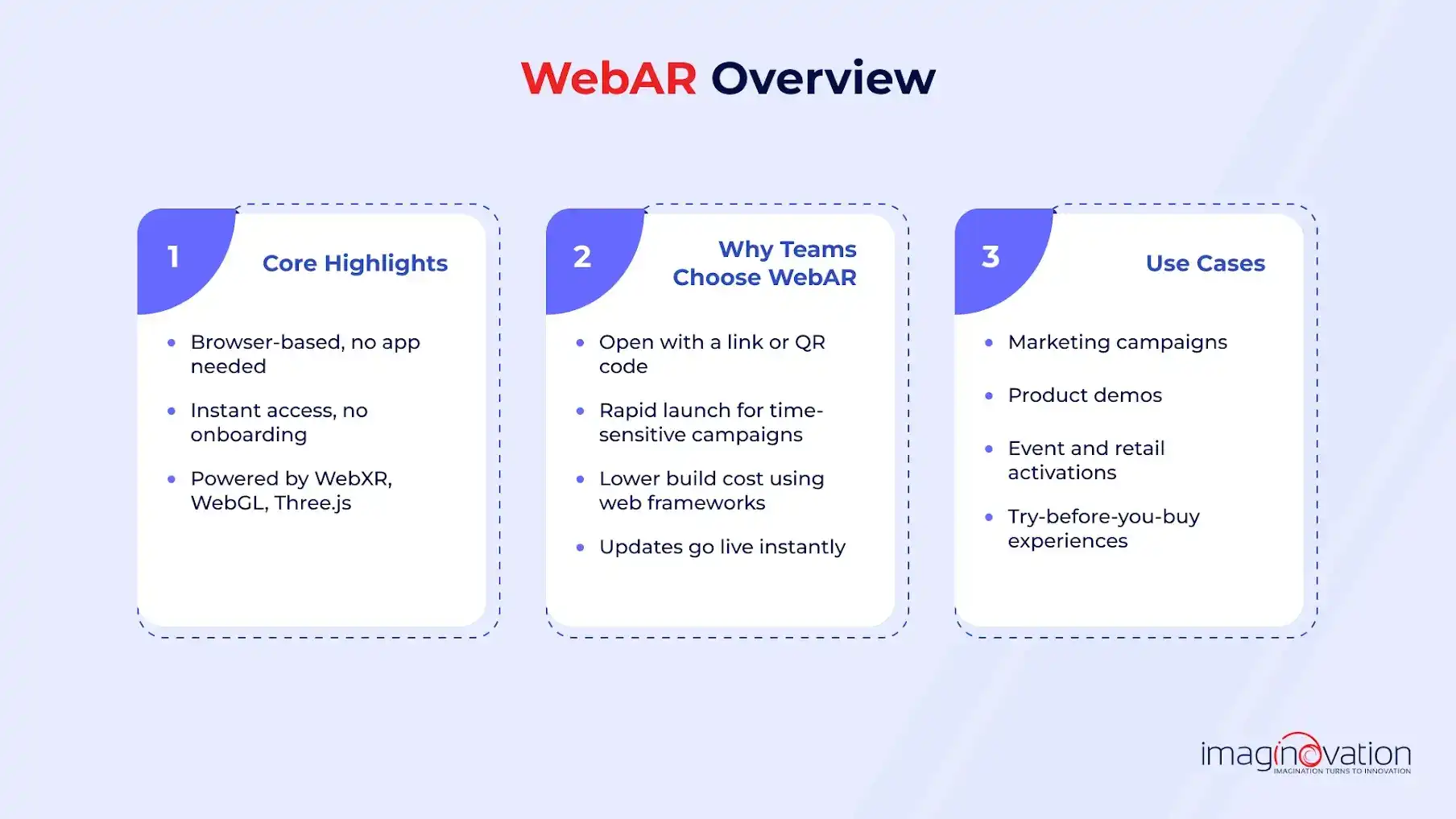
The great part about WebAR experiences is that they run directly inside a mobile browser. There is no need to download anything, and you won't need an onboarding process either. Thus, leading to no delays.
Moreover, because it uses web technologies, such as WebXR, WebGL, and Three.js, one can benefit from reach and speed.
Why teams typically choose WebAR:
- Frictionless access: It is easy to open the experience with a simple link or QR code.
- Fast deployment: Choose WebAR when you are looking at rapid launches and have time-sensitive campaigns.
- Lower development cost: The costs are low because it uses standard web frameworks.
- Easy updates: Moreover, the fixes and improvements go live instantly and don't need user action.
Typical use cases of WebAR:
- Marketing campaigns
- Product demos
- Events and retail activations
- Try first and then buy experiences
What is App-Based AR?
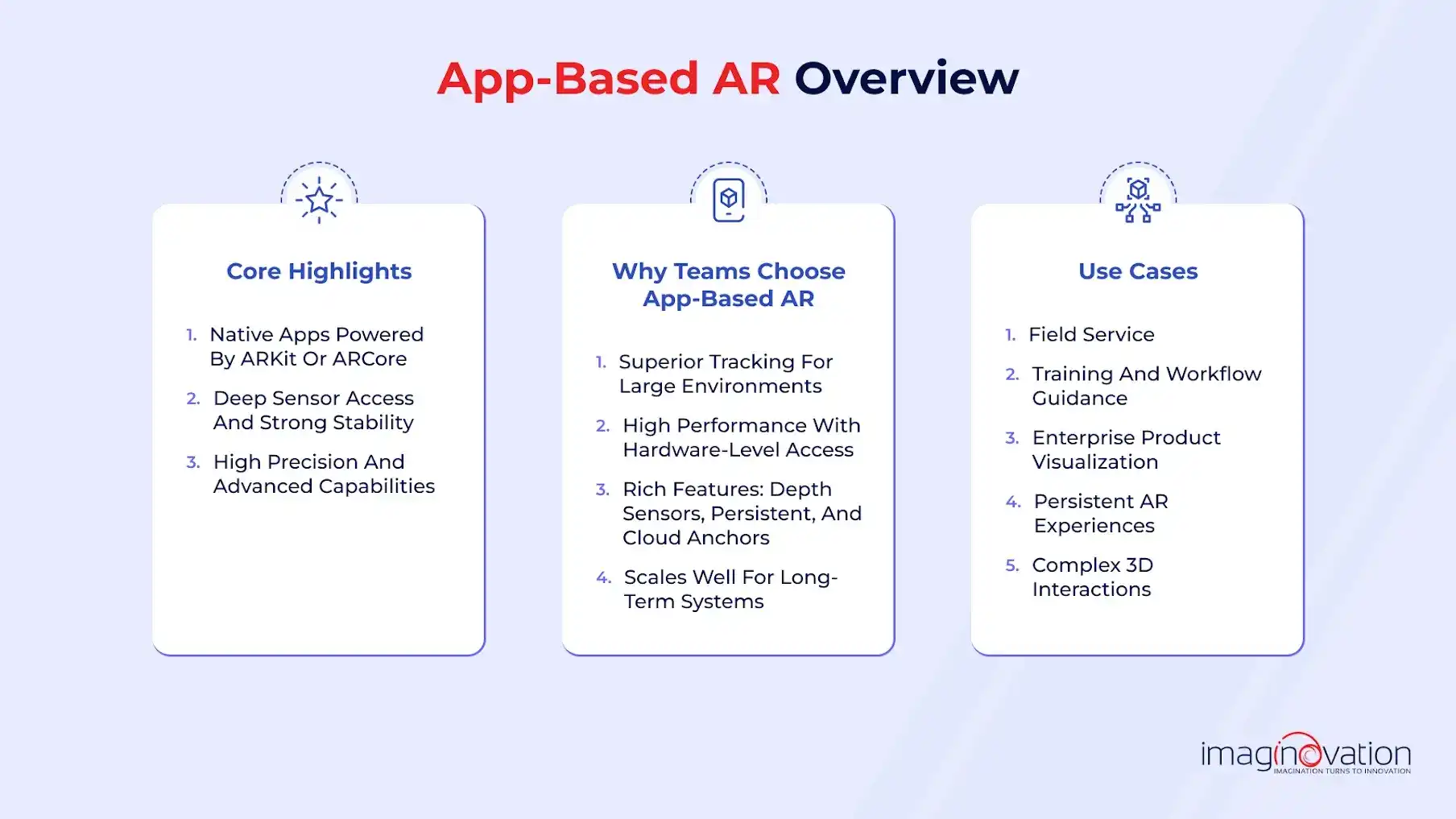
When it comes to app-based AR, it runs on native mobile apps that are built using ARKit (iOS) or ARCore (Android).
The foundation allows deeper access to device sensors and enables more stability. Moreover, you will enjoy precision and advanced features.
Why teams choose App-Based AR:
- Superior tracking and accuracy: App-based AR is great when you need precise overlays, and you have a large environment.
- Higher performance: The AR type uses hardware capabilities for smooth rendering.
- Rich feature integrations: The app-based AR works with camera depth sensors. Plus, it also works with persistent anchors, cloud anchors, etc.
- More long-term scalability: It's ideal for systems that expand over time.
Typical use cases of a native app-based AR:
- Field service
- Training and workflow guidance
- Product visualisation at enterprise scale
- Persistent AR experiences
- Complex 3D interactions
Table 1: Comparison between WebAR and App-based AR
| Criteria | WebAR | App-Based AR |
|---|---|---|
| Accessibility | Opens in browser via link or QR (zero friction) | Requires app install (higher barrier) |
| Performance | Moderate | High, full native hardware access |
| Development Cost | Lower, faster to build | Higher, but more feature-rich |
| Deployment Speed | Instant updates, no app store approvals | Slower due to app store submissions |
| Scalability | Great for quick updates, short-term experiences | Ideal for long-term roadmaps and complex ecosystems |
| Features | Basic-to-mid AR interactions | Advanced: spatial mapping, occlusion, multi-user, more |
| User Base | Broad, anyone with a smartphone browser | Narrower, only users who download the app |
| Best For | Campaigns and marketing | Product, training, and enterprise-grade solutions |
*Pete Peranzo, Co-founder at Imaginovation, shared his observation of WebAR vs. app-based AR. He mentioned that in many cases, cost and development effort are determining factors.*
He underlined that native applications require more investment and longer build cycles, which makes WebAR a smarter entry point in the case of a startup or a team testing an MVP before scaling.
Pete also shares quite a counter-intuitive reality about user experience that many users are “too lazy to even open a Web page”. It indicates that native apps can sometimes provide smoother access and stronger engagement.
Looking ahead, Pete stresses that in the future, when hardware and SDKs get better, native AR applications will be playing an increasingly important role in delivering premium, fully immersive experiences.
Key takeaway: WebAR wins on grounds of accessibility, and app-based AR has an edge when it comes to capability.
When Does WebAR Development Make Sense?
WebAR has an extra edge over app-based AR in scenarios such as reach and speed, but it isn't meant to replace the latter.
Use Cases Where WebAR Shines
Consider the primary goal of your business is instant access and low friction, then WebAR would help in such cases.
If the priority is to get as many users as possible to engage without the hassle of downloading an app, WebAR again is the clear winner.
1. Marketing Campaigns and Product Demos
- WebAR works very well where the audience needs to interact instantly with QR-code activations for retail and outdoor ads
- Brands prefer to use it for try-before-you-buy experiences that open directly in the browser
- It also works well for social-friendly, shareable experiences that don’t require commitment
2. E-Commerce Customer Journeys
- Online retailers benefit from WebAR, where they can visualize their products, which could include anything from furniture, décor, and accessories
- It can help shoppers with instant product previews on PDPs
- The in-browser experience helps reduce drop-offs by removing the app download step, increasing faster purchase decisions
3. Events, Trade Shows, and Pop-Ups
- During events, visitors look out for quick, interactive AR displays because they don’t have time or patience to get into an app download
- It's ideal for companies that want to deliver immediate, interactive experiences that attendees can access in seconds, increasing engagement and shareability
4. Pilot Projects / MVPs
- For businesses exploring AR for the first time, WebAR offers a fast and effective way to validate AR concepts quickly and cost-effectively
Real-Life Style Questions from Decision Makers (ICPs)
Consider these questions:
- “We want users to interact instantly. Can we skip the download barrier?”
- “We just need to test if AR even works for our audience, is WebAR enough?”
- “Our campaign goes live next week. Can AR be deployed fast?”
- “We don’t need full-blown AR right now; just something engaging and lightweight.”
If those questions sound familiar, remember WebAR is purpose-built and the answer for all these scenarios.
When WebAR Isn’t the Right Fit
While WebAR is powerful, it has limitations. It’s not suited for high-complexity or high-precision environments.
Avoid WebAR If Your Use Case Requires:
1. Heavy 3D Performance: WebAR is not the right choice when it comes to experiences that depend on large 3D models, complex animations, or engineering-grade visualisations that demand significant rendering power.
2. Advanced Tracking Requirements: WebAR also falls short in environments where spatial mapping is needed. Moreover, if there is a need for persistent anchors or precision-based overlays are essential for delivering an accurate experience.
3. Offline Access and Native Capabilities: Use cases that require offline functionality or integration with device sensors are a challenge with WebAR. Plus, if there is a need for reliable performance in remote locations with limited connectivity, it will be a bottleneck.
4. Deep System Integrations: WebAR is also not suitable for workflows that require secure, stable integration with ERP systems, CRM platforms, protected data pipelines, or enterprise-level compliance controls.
Thus, when these needs appear, an app-based AR solution is the better choice.
Key Takeaway: Pete suggests that WebAR is most effective during the early stages of an AR initiative, especially when companies are testing a concept, validating user interest, or building an MVP. Its low cost and rapid deployment make it ideal for experimentation without requiring a heavy investment upfront. He notes that while market demand for WebAR is steadily rising, the broader ecosystem still leans toward native apps for delivering advanced, high-performance AR experiences.
As he puts it, “WebAR is the perfect entry point but not the finish line for AR transformation.” It enables businesses to validate the value of AR quickly; however, as use cases mature and more sophisticated capabilities become necessary, native app-based AR naturally becomes the next step.
How to Choose Between WebAR and Native AR: Key Decision Factors
When deciding between WebAR and App-Based AR, the focus can't be entirely on technology; it is also on business outcomes.
The right path will depend on various aspects, which include goals, user behaviour, technical needs, and investment horizon.
The Business Decision Framework
Here is a simple evaluation grid that can help align your AR strategy with business realities. Ask yourself:
- Project goals: Are you optimizing for speed and reach, or are you looking at optimizing for experimentation, depth, interactivity, and longevity?
- Audience Behavior: Would your users be happy enough scanning a QR and viewing instantly, or are they ready to download and engage deeply through an app?
- Technical Complexity: Do you need only basic AR visualization, or does your application rely on advanced sensor access, offline workflows, secure enterprise integration, or 3D-heavy experiences?
- Budget and ROI Horizon: Is this a short-term activation, campaign, or pilot, or a long-term AR platform with continuous updates?
- Scalability: Are you testing an idea or building a base for a future-proof, large-scale digital ecosystem?
These questions can guide you to make an informed choice. Here’s a snapshot that can further support.
Table 2: Decision Snapshot Table
| Factor | Choose WebAR If… | Choose App-Based AR If… |
|---|---|---|
| Speed to market | ✅ You need to test or launch fast | -- |
| Long-term vision | -- | ✅ You’re building a long-term product |
| Accessibility | ✅ You prioritize reach and zero-friction access | -- |
| Feature depth | -- | ✅ You require offline mode, sensors, or deep data |
| Budget constraints | ✅ You’re limited by time or cost | -- |
| Enterprise performance | -- | ✅ You need high accuracy, stability, or integration |
How do we help clients decide which AR path makes the most sense?
We often remind our clients to look closely at the purpose of the project, the budget, and the target audience before choosing between WebAR and a native AR app.
For internal testing or MVPs, WebAR is usually the more cost-effective and faster route. For market-ready, feature-rich experiences, native AR apps tend to be the better fit.
We encourage teams to think about the features they want to deliver, the level of user engagement they’re aiming for, and the company’s long-term goals, as these factors play a big role in making the right decision.
Can businesses start with WebAR and then evolve over time?
Yes, starting with WebAR is often a strategic move for testing and validation. It lets teams experiment quickly and see how users respond.
Once the experience gains traction, businesses can then invest in developing a native AR application.
This step allows them to refine functionality, improve performance, and strengthen user engagement as their needs evolve.
What are typical mistakes companies make in this decision phase?
A common mistake we see is when teams choose WebAR simply because it feels easier or cheaper, without thinking ahead about scalability or future needs.
Some companies also underestimate how important native apps can be for more complex AR features, which can end up creating a poor user experience.
Another issue is making early commitments to WebAR when a native app might actually support their long-term goals better.
The opposite happens too. Jumping into a native app without fully understanding the scope of the project or whether the use case even requires that level of investment.
Bottom line:
It’s often smarter to approach things in phases. Start by testing with WebAR, then scale with a native app if the experience grows and the needs become more advanced.
What matters most is making choices that align with your project goals rather than taking shortcuts that lead to short-sighted decisions.
Real-World Examples - How Businesses Are Using Each Approach
📱 WebAR Examples:
1. James Allen: Ring Try-On in Browser
Jeweler James Allen uses WebAR to let customers virtually try on rings directly from their smartphone browser.
Users can preview how engagement rings and wedding bands look on their hand without downloading an app, making it easier to explore options and decide before purchase. (Source)
2. Maybelline & L’Oréal: Browser-Based Makeup Try-Ons
Beauty brands powered by L’Oréal’s Modiface technology, such as Maybelline, offer WebAR try-on experiences where customers can apply virtual makeup (like lipstick or eyeshadow) using their phone camera directly in the browser.
This removes friction for users and helps boost confidence and online conversions. (Source)
📲 App-Based AR Examples:
1. IKEA Place: Furniture Visualization
IKEA’s Place app lets users place true-to-scale 3D furniture models in their own rooms using AR.
Because it’s a native app, it delivers smooth performance and accurate spatial mapping, helping customers visualize large items before buying.
2. LEGO Hidden Side: Interactive Toy Play
The LEGO Hidden Side AR app combines physical LEGO sets with a digital AR game, creating immersive experiences where kids interact with virtual ghosts and challenges overlaid on their real builds.
The native app format supports rich graphics and game logic.
Hybrid Trend: Experiment First, Then Scale
WebAR to Validate → Native AR to Expand
It’s becoming common for brands to start with WebAR to test new AR features and gauge customer interest (e.g., quick virtual try-ons in the browser) before committing to a full native app when they need advanced performance, personalization, or deeper features.
While specific public case studies for this phased approach are generally internal to companies, platforms like Wanna and Reactive Reality provide both WebAR and app-based solutions to clients, illustrating how brands experiment with both formats.
Imaginovation’s MagicTask AVP app
The MagicTask AVP app is a developed application available on the Apple Vision Pro App Store, which demonstrates its work in immersive AR experiences.
You can find it by searching for "MagicTask AVP" in the App Store, and it highlights their capabilities in building AR applications for advanced headsets like Apple Vision Pro.
This app serves as a concrete example of how they've utilized native AR development to create immersive solutions, aligning with the discussion about starting with WebAR for testing before scaling up to native apps.
Key Takeaway
Businesses use WebAR for fast, low-friction engagement and campaigns, while native AR apps power deeper, high-performance experiences like training and maintenance.
Many companies start with WebAR to validate ideas, then scale into native apps, as seen with solutions like Imaginovation’s MagicTask AVP built for Apple Vision Pro.
Start Your AR Journey Today
If you are thinking about using AR in your business, the best place to begin is with a clear plan. AR is no longer a future idea. It is a practical tool that can help with engagement, training, product demos, and many other areas.
If you are unsure whether WebAR or a native AR app is the right fit, our team at Imaginovation can guide you through the decision.
We help businesses validate ideas, understand the potential ROI, and build AR solutions that can grow over time.
If you want to explore what AR can do for your company, we would be happy to talk.